
scicomap documentation#
scicomap helps you choose, assess, and improve scientific colormaps so figures remain readable, faithful to the data, and safer for color-vision-deficient readers.
Why this matters#
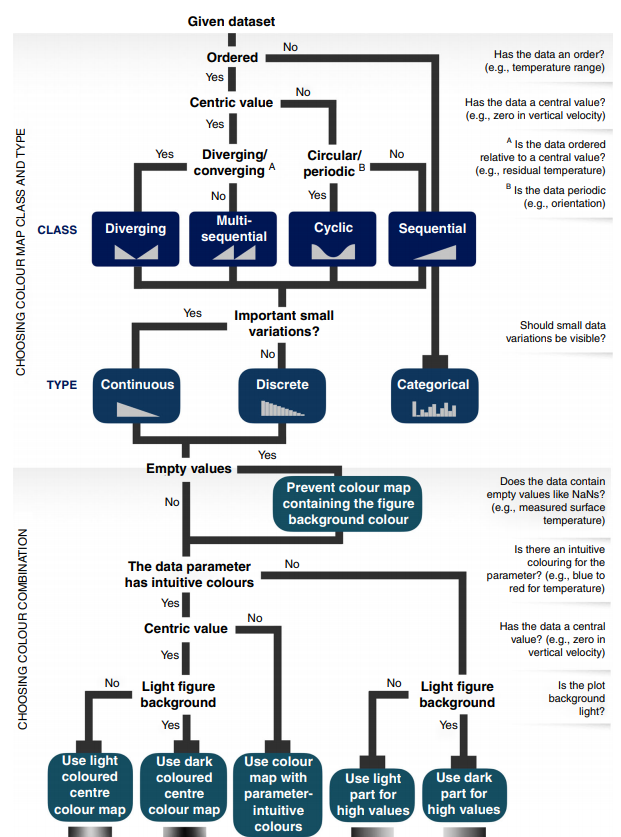
Pick a colormap family that matches your data semantics before styling.#
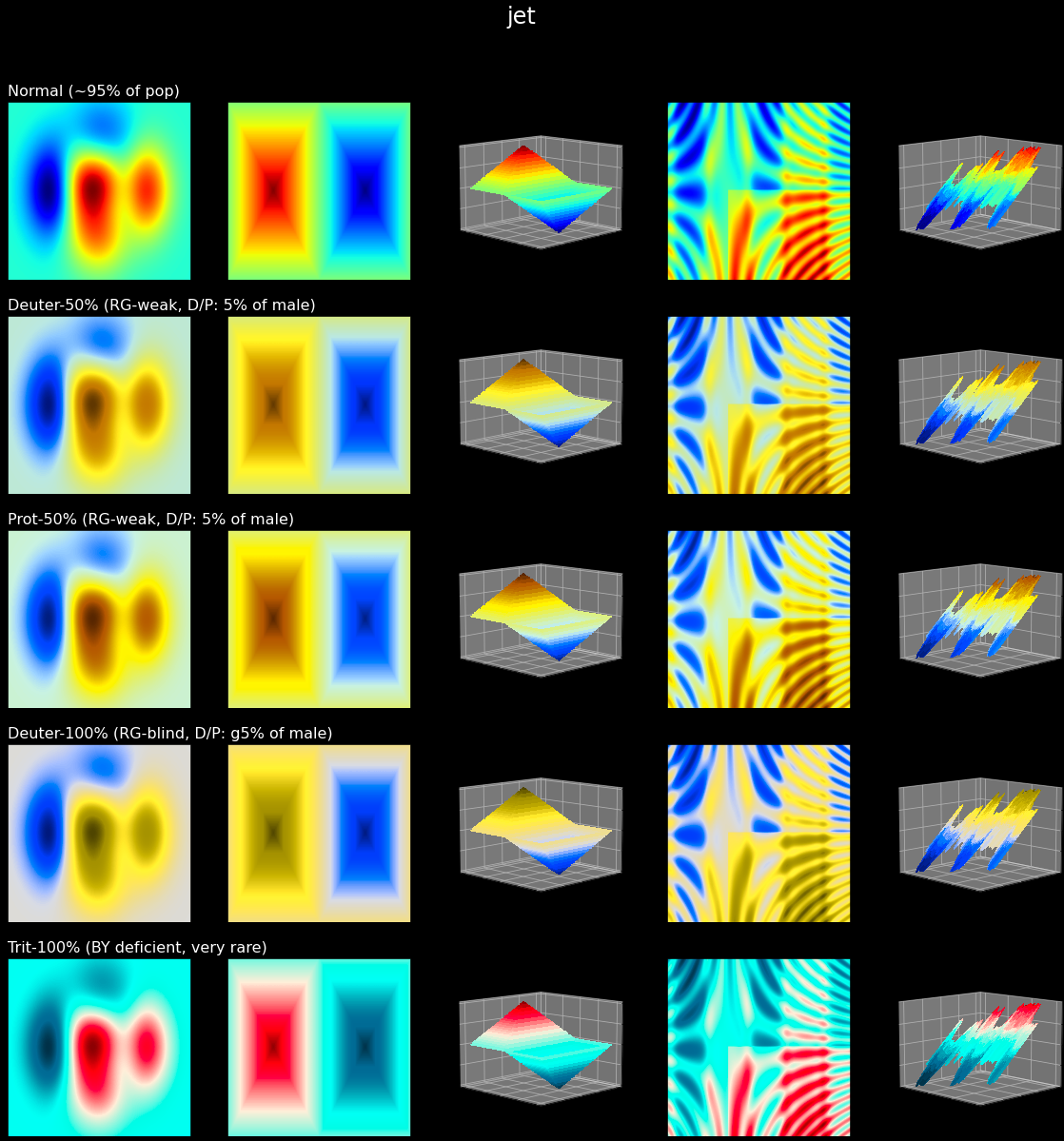
Non-uniform maps such as jet/rainbow can create false boundaries and visual artifacts in otherwise smooth fields.#
Who this is for#
Researchers preparing publication figures.
Data analysts and data scientists building trustworthy dashboards.
Engineers who need robust colormap defaults in Matplotlib workflows.
Quick start#
Same workflow in both interfaces:
import scicomap as sc

cmap = sc.ScicoSequential(cmap="hawaii")
cmap.assess_cmap(figsize=(14, 6))
cmap.unif_sym_cmap(lift=None, bitonic=False, diffuse=True)
cmap.draw_example()
scicomap check hawaii --type sequential
scicomap report --profile publication --cmap hawaii --type sequential
scicomap cvd hawaii --type sequential --out hawaii-cvd.png
Choose your path#
New user: Getting Started
Practical guidance: User Guide
Full tutorial notebook: Scicomap Tutorial
Interactive playground: Interactive Marimo Tutorial (open directly)
Visual family browser: Colormap Gallery
Full API details: API Reference
CLI command reference: CLI Reference
Common tasks#
Assess a colormap before publication.
Fix non-uniform lightness and chroma artifacts.
Validate colorblind accessibility.
Apply a colormap to your own image data.
Advanced and automation#
One-command workflow reports with status, artifacts, and recommendations:
scicomap report ....Profile-driven defaults for quick decisions:
quick-look,publication,presentation,cvd-safe,agent.Machine-friendly docs and JSON outputs for tooling/LLMs: LLM Access.
Documentation last change: February 18, 2026 at 17:07
Start Here
How-to Guides
Tutorials
Reference and Support