
User Guide#
Choose the right colormap type#
Use sequential colormaps for ordered values, diverging colormaps for values around a midpoint, and qualitative colormaps for categories.
If your figure shows directional or cyclic variables (phase, angle), use circular colormaps.
Assess a colormap before using it#
Use assess_cmap to inspect lightness progression, chroma behavior, and
colorblind rendering.
import matplotlib.pyplot as plt
import scicomap as sc

jet = plt.get_cmap("jet")
cmap = sc.ScicoMiscellaneous(cmap=jet)
cmap.assess_cmap(figsize=(14, 6))
scicomap preview rainbow-kov --type miscellaneous --out jet-assess.png
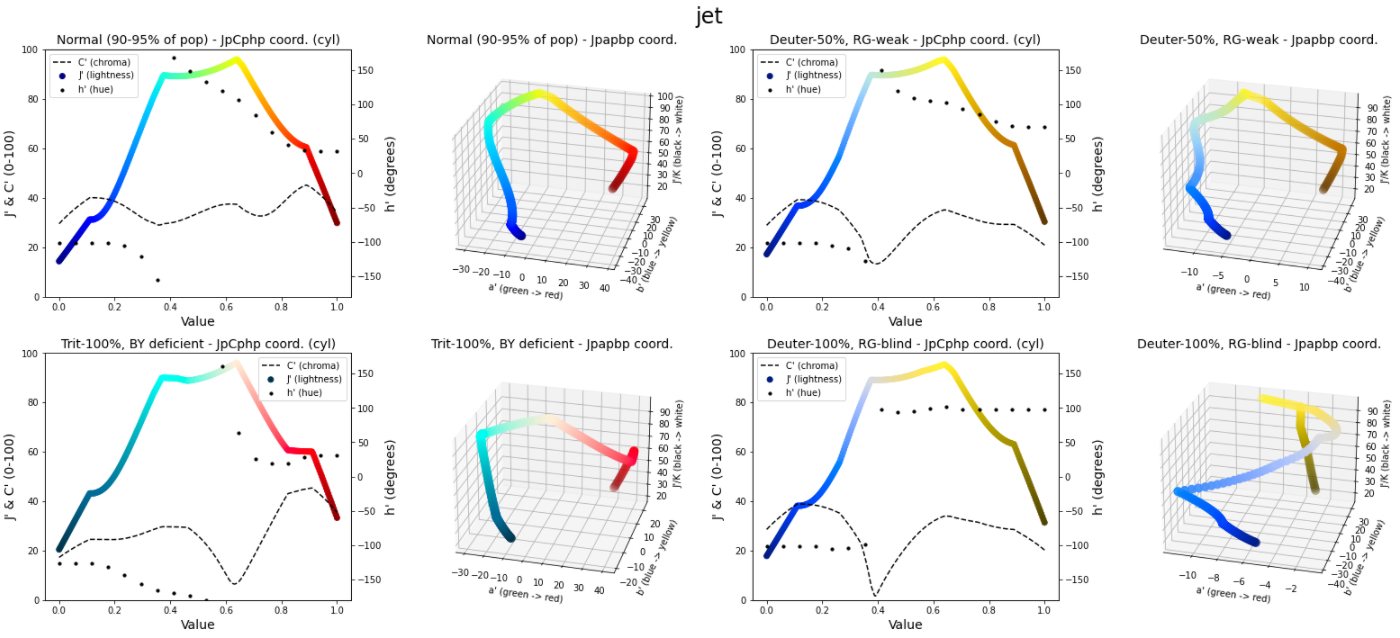
Jet/rainbow often introduces false contrast and non-linear lightness changes.#
Uniformize a colormap#
When a colormap contains visible artifacts, apply uniformization and reassess.
import scicomap as sc

cmap = sc.ScicoSequential(cmap="hawaii")
cmap.unif_sym_cmap(lift=None, bitonic=False, diffuse=True)
cmap.assess_cmap(figsize=(14, 6))
scicomap fix hawaii --type sequential --out hawaii-fixed.png
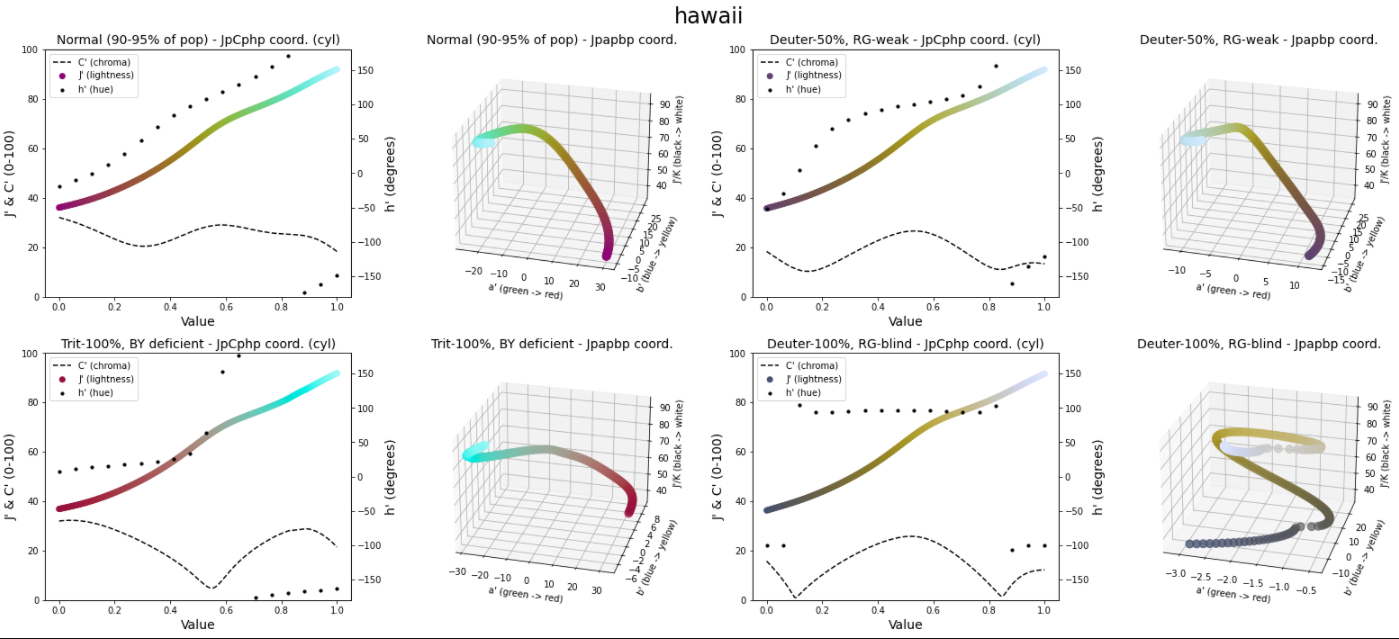
Before correction.#
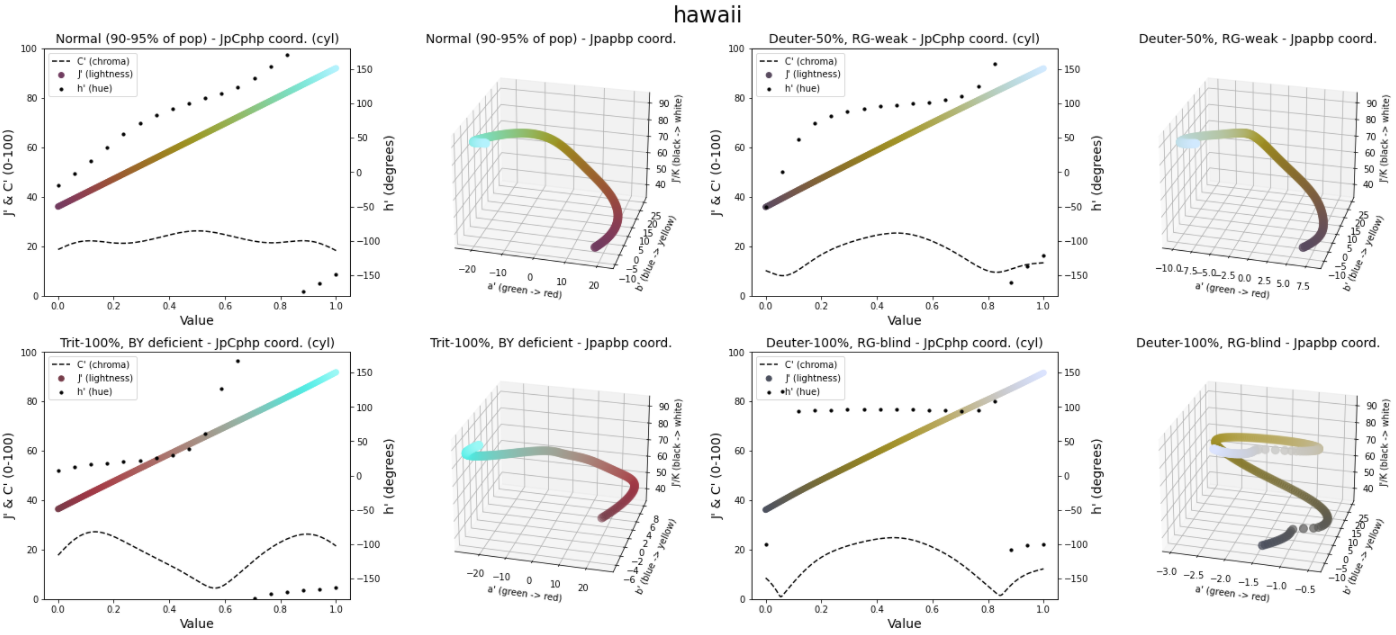
After correction. Uniformization reduces visible artifacts in practical rendering tests.#
Practical workflow#
Start with a colormap family that matches your data semantics.
Assess lightness and colorblind behavior.
Apply uniformization only when needed.
Validate with your real data, not only synthetic examples.
CLI profiles#
Use profile defaults to reduce option tuning in report and wizard:
quick-look: fast diagnosis with minimal outputs.publication: quality-first defaults (improve + fix + CVD checks).presentation: publication defaults with a brighter lift bias.cvd-safe: accessibility-first diagnostics, CVD checks enforced.agent: deterministic machine mode (JSON output, non-interactive).
Example:
scicomap report --profile publication --cmap hawaii
scicomap report --profile cvd-safe --cmap thermal --format json
Next steps from this guide#
Interactive tutorial: Interactive Marimo Tutorial
Full walkthrough notebook: Scicomap Tutorial
Detailed API reference: API Reference